Webxterm Documentation
This documentation covers WebXTerm Enterprise v1.1.0, which adds Multi-tenancy (Organizations) and Keycloak Authentication.
For the free Community Edition, switch to version 1.0.0. For OIDC/OAuth2 Login (Microsoft, GitHub, Okta, Azure AD), see the latest Enterprise Edition.
WebXTerm is a full-fledged Privileged Access Management (PAM) and Role-Based Access Control (RBAC) solution that allows you to securely connect to your machines from anywhere. Install the lightweight vsay-agent on any machine and get instant access through the web, CLI, or your IDE — with complete audit trails, role-based access control, and real-time infrastructure monitoring.
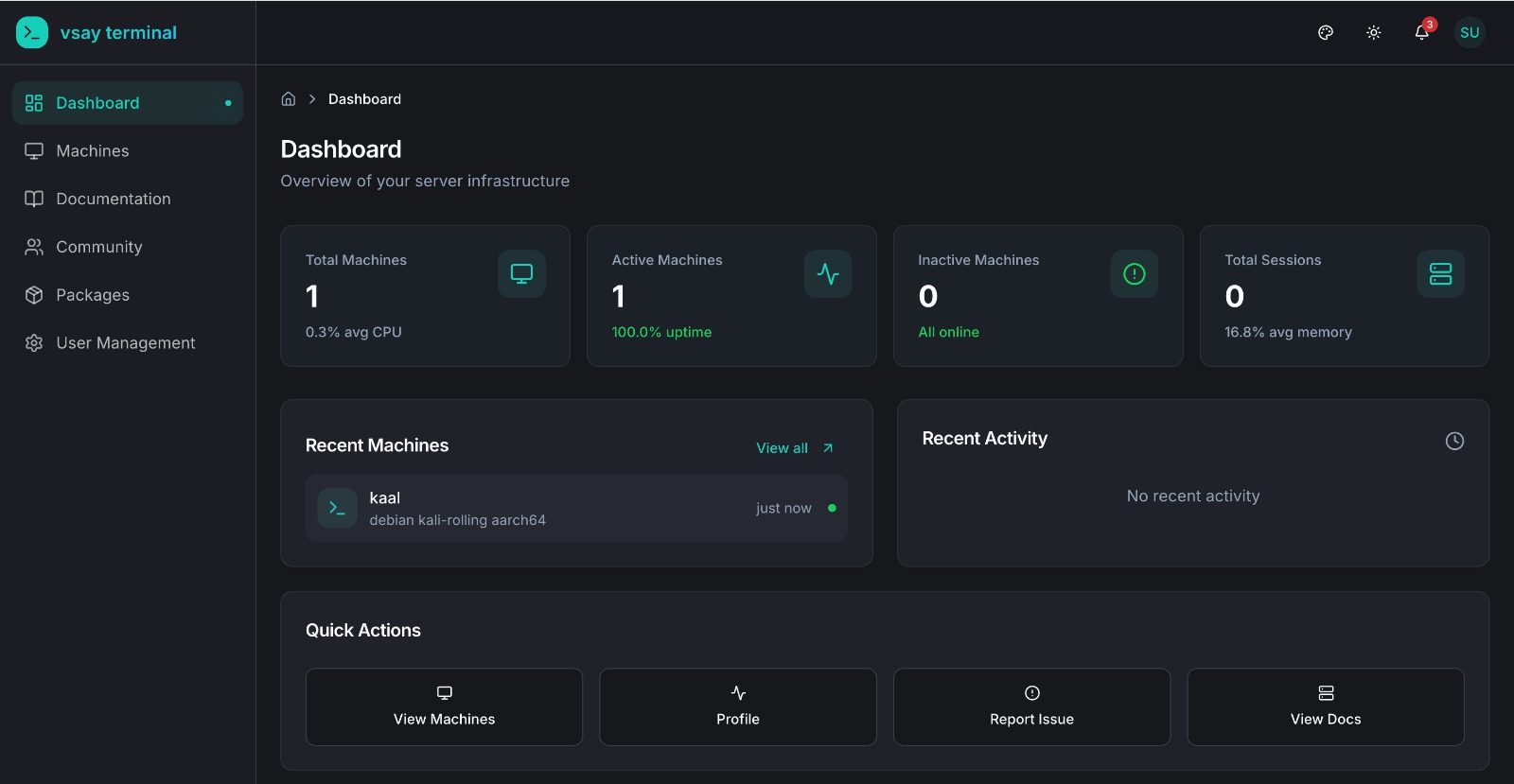
What Makes Us Different?
Unlike traditional PAM solutions, WebXTerm uses an agent-based architecture — install a lightweight agent on any machine and it connects outbound to the backend. No open ports, no SSH key management, no bastion hosts. Access your machines from anywhere through:
| Access Method | Description |
|---|---|
| Web Terminal | Browser-based terminal access with full terminal capabilities |
| WebXTerm VSCode Extension | Manage and connect to machines directly from your IDE |
| WebXTerm Shell CLI | Command-line tool for terminal access and machine management |
Features
| Feature | Status | Description |
|---|---|---|
| Secure Remote Access (Agent-Based) | ✅ | Connect via vsay-agent — no inbound ports needed |
| Web Terminal | ✅ | Browser-based terminal access powered by xterm.js |
| Team Collaboration (RBAC) | ✅ | Role-based access management with per-machine user lists |
| Real-time Monitoring | ✅ | CPU/memory/disk stats from agent heartbeats every 30s |
| Session & Command Recording | ✅ | All commands logged with user, timestamp, and exit code |
| Audit Logs | ✅ | Complete activity history across all machines |
| Community (Issue Tracker) | ✅ | Collaborative issue tracking for your team |
| TLS Encryption | ✅ | Secure data in transit between agent and backend |
| WebXTerm Shell CLI | ✅ | Command-line tool for terminal access and machine management |
| WebXTerm VSCode Extension | ✅ | Integrated IDE terminal, file browser, and port forwarding |
| API Access | ✅ | REST API for integrations and automation |
| MTLS (Mutual TLS) | ✅ | Certificate-based mutual authentication between agents and backend |
| Keycloak Authentication | ✅ | Email/password verified via Keycloak; vsay-auth issues the JWT |
| Multi-tenancy (Organizations) | ✅ | Organization-based access control with isolated workspaces |
| Organization API | ✅ | Multi-tenancy API endpoints for organization management |
| Priority Support | ✅ | Dedicated enterprise support |
PAM & RBAC Capabilities
Privileged Access Management (PAM)
- Centralized Control — Manage all machine connections from a single dashboard
- Agent-Based Access — Lightweight
vsay-agenton each machine; outbound-only connection, no inbound firewall rules needed - Session & Command Recording — Every command executed in a terminal session is recorded with user, timestamp, and exit code
- Machine Monitoring — Real-time CPU, memory, and disk stats reported via agent heartbeats every 30 seconds
- Offline Detection — Machines are automatically marked offline if the agent stops heartbeating
Role-Based Access Control (RBAC)
- Granular Permissions — Define exactly who can access which machines
- User Roles — Assign roles (admin / user) to control what each team member can do
- Machine-Level Access Control — Restrict which users are allowed to connect to a specific machine
- Machine-Level Policies — Set command restrictions and sudo access per machine via agent config
All Features Included
Core Features
- Secure Remote Access: Connect to your machines through agent-based WebSocket tunneling — no inbound ports, no SSH key management.
- Web Terminal: Full browser-based terminal access powered by xterm.js — connect from anywhere with no local tools required.
- Team Collaboration: Share machine access with team members using role-based access control and per-machine allowed user lists.
- Real-time Monitoring: Live CPU, memory, disk, and network stats from every agent — plus online/offline status tracking.
- Session & Command Recording: Every command executed in a terminal session is logged with user, machine, timestamp, and exit code.
- Audit Logs: Complete activity history across all machines — who ran what, when, and from which client.
- Community: Built-in issue tracker for your team — create tickets, post solutions, and track infrastructure problems collaboratively.
Authentication — Keycloak
WebXTerm Enterprise uses Keycloak as the credential store and vsay-auth as the authentication service:
- Email/Password: vsay-auth verifies credentials against Keycloak, then issues its own signed JWT (HS256). All API calls use this vsay-auth JWT — not a Keycloak token.
External identity providers (Microsoft, GitHub, Okta, Azure AD) are available in the next Enterprise Edition.
Enterprise Features
- MTLS Security: Mutual TLS for certificate-based authentication between agents and backend.
- Multi-tenancy: Organization-based access control where each organization has its own admin to manage machines and users.
Quick Links
- Getting Started - Install the agent and connect to your first machine
- Secure Remote Access - Learn how the agent-based architecture works
- Web Terminal - Use the browser-based terminal
- Team Collaboration - Manage team access and roles
- Session & Command Recording - Audit logs and command history
- Real-time Monitoring - Track machine health and activity
Enterprise Features
- Organization Management - Configure multi-tenancy
API Reference
- API Overview - Complete API documentation
External Links
| Resource | URL |
|---|---|
| Website | webxterm.me |
| Community & Support | community.webxterm.me |
| Documentation | docs.webxterm.me |
Products & Clients
| Product | Description |
|---|---|
| WebXTerm Shell CLI | Go CLI tool — vsay-shell-cli connect <machine> |
| WebXTerm VSCode Extension | Integrated IDE terminal, file browser, and port forwarding |
| WebXTerm Agent | Lightweight daemon installed on machines — the core of the system |
Why Webxterm Terminal Enterprise?
WebXTerm Enterprise is designed for organizations that need:
- Full PAM Solution - Complete privileged access management with agent-based access control
- Enterprise RBAC - Granular role-based access control for teams
- Zero-Trust Security - Every connection verified with TLS/MTLS encryption
- Complete Visibility - Know who accessed what and when with audit logs
- Multi-Organization - Manage multiple teams and projects with isolated access
- Multi-Channel Access - Web Terminal, Shell CLI, and VSCode Extension