Webxterm Documentation
This is the unreleased, in-progress version of the docs, built on top of released v1.2.0 — including OIDC/OAuth2 Login (Microsoft, GitHub), Keycloak Authentication, Multi-tenancy, and Windows RDP (Beta). For the latest released version, see Enterprise (1.2.0). For the free Community Edition, switch to version 1.0.0.
Windows RDP (Beta) — connect to Windows machines over RDP, not just a shell. Plus major reliability fixes in vsay-auth and vsay-agent: JWT tokens now correctly rotate every 24 hours, /api/auth/refresh no longer drops sessions early, and password reset now works end-to-end. See What's New for the full list.
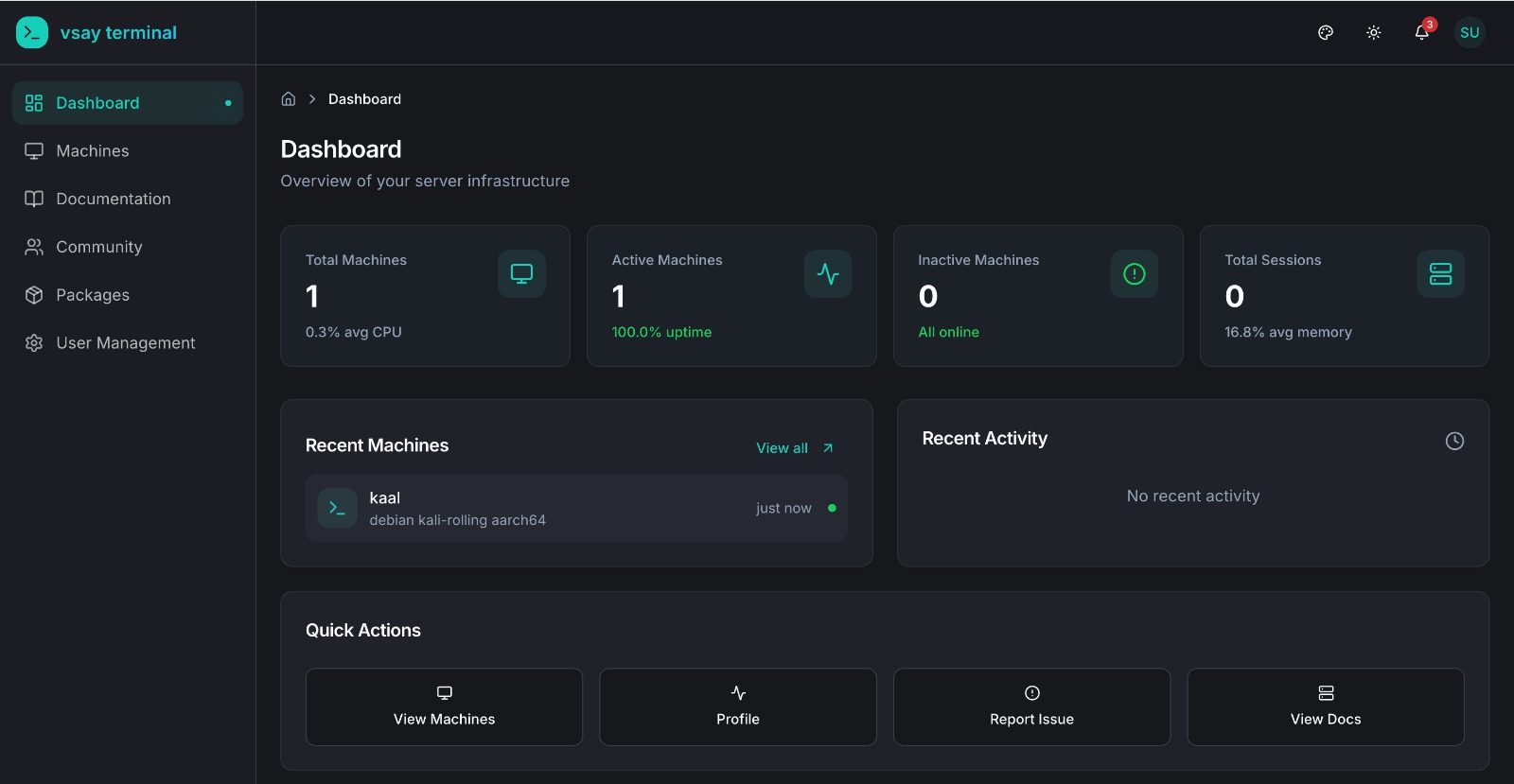
WebXTerm is a full-fledged Privileged Access Management (PAM) and Role-Based Access Control (RBAC) solution that allows you to securely connect to your machines from anywhere. Install the lightweight vsay-agent on any machine and get instant access through the web, CLI, or your IDE — with complete audit trails, role-based access control, and real-time infrastructure monitoring. This documentation will guide you through all the features and help you get the most out of the platform.
What Makes Us Different?
Unlike traditional PAM solutions, WebXTerm uses an agent-based architecture — install a lightweight agent on any machine and it connects outbound to the backend. No open ports, no SSH key management, no bastion hosts. Access your machines from anywhere through:
| Access Method | Description |
|---|---|
| Web Terminal | Browser-based terminal access with full terminal capabilities |
| Windows RDP (Beta) | Full Windows desktop access over RDP, streamed to the browser |
| WebXTerm VSCode Extension | Manage and connect to machines directly from your IDE |
| WebXTerm Shell CLI | Command-line tool for terminal access and machine management |
Features
| Feature | Status | Description |
|---|---|---|
| Secure Remote Access (Agent-Based) | ✅ | Connect via vsay-agent — no inbound ports needed |
| Web Terminal | ✅ | Browser-based terminal access powered by xterm.js |
| Windows RDP | 🟡 Beta | Full Windows desktop access over RDP, streamed to the browser |
| Team Collaboration (RBAC) | ✅ | Role-based access management with per-machine user lists |
| Real-time Monitoring | ✅ | CPU/memory/disk stats from agent heartbeats every 30s |
| Session & Command Recording | ✅ | All commands logged with user, timestamp, and exit code |
| Audit Logs | ✅ | Complete activity history across all machines |
| Community (Issue Tracker) | ✅ | Collaborative issue tracking for your team |
| TLS Encryption | ✅ | Secure data in transit between agent and backend |
| WebXTerm Shell CLI | ✅ | Command-line tool for terminal access and machine management |
| WebXTerm VSCode Extension | ✅ | Integrated IDE terminal, file browser, and port forwarding |
| API Access | ✅ | REST API for integrations and automation |
| MTLS (Mutual TLS) | ✅ | Certificate-based mutual authentication between agents and backend |
| Keycloak Authentication | ✅ | Email/password verified via Keycloak; vsay-auth issues the JWT |
| OIDC/OAuth2 Login (Microsoft, GitHub, Okta, Azure AD…) | ✅ | Handled directly by vsay-auth — no Keycloak involvement |
| Multi-tenancy (Organizations) | ✅ | Organization-based access control with isolated workspaces |
| Organization API | ✅ | Multi-tenancy API endpoints for organization management |
| Priority Support | ✅ | Dedicated enterprise support |
PAM & RBAC Capabilities
Privileged Access Management (PAM)
- Centralized Control — Manage all machine connections from a single dashboard
- Agent-Based Access — Lightweight
vsay-agenton each machine; outbound-only connection, no inbound firewall rules needed - Session & Command Recording — Every command executed in a terminal session is recorded with user, timestamp, and exit code
- Machine Monitoring — Real-time CPU, memory, and disk stats reported via agent heartbeats every 30 seconds
- Offline Detection — Machines are automatically marked offline if the agent stops heartbeating
Role-Based Access Control (RBAC)
- Granular Permissions — Define exactly who can access which machines
- User Roles — Assign roles (admin / user) to control what each team member can do
- Machine-Level Access Control — Restrict which users are allowed to connect to a specific machine
- Machine-Level Policies — Set command restrictions and sudo access per machine via agent config
All Features Included
Core Features
- Secure Remote Access: Connect to your machines through agent-based WebSocket tunneling — no inbound ports, no SSH key management.
- Web Terminal: Full browser-based terminal access powered by xterm.js — connect from anywhere with no local tools required.
- Team Collaboration: Share machine access with team members using role-based access control and per-machine allowed user lists.
- Real-time Monitoring: Live CPU, memory, disk, and network stats from every agent — plus online/offline status tracking.
- Session & Command Recording: Every command executed in a terminal session is logged with user, machine, timestamp, and exit code.
- Audit Logs: Complete activity history across all machines — who ran what, when, and from which client.
- Community: Built-in issue tracker for your team — create tickets, post solutions, and track infrastructure problems collaboratively.
Authentication — Keycloak + vsay-auth
WebXTerm Enterprise uses Keycloak as the credential store and vsay-auth as the dedicated authentication service:
- Email/Password: vsay-auth verifies credentials against Keycloak, then issues its own signed JWT (HS256). All API calls use this vsay-auth JWT — not a Keycloak OIDC token.
- OIDC/OAuth2 Login (Enterprise): vsay-auth handles OAuth2 directly with Microsoft and GitHub — no Keycloak brokering involved. After the user authenticates with the provider, vsay-auth matches the returned email to an existing account and issues a JWT.
The WebXTerm backend always validates vsay-auth JWTs (issuer: vsay-auth). The token format is the same regardless of how the user logged in.
Enterprise-Only Features
- OIDC/OAuth2 Login (Microsoft, GitHub): Users can sign in with their Microsoft or GitHub account — handled directly by the vsay-auth service via OAuth2. The user's email is matched to their existing account and a vsay-auth JWT is issued.
- MTLS Security: Mutual TLS for certificate-based authentication between agents and backend.
- Multi-tenancy: Organization-based access control where each organization has its own admin to manage machines and users.
Quick Links
- Getting Started - Install the agent and connect to your first machine
- Secure Remote Access - Learn how the agent-based architecture works
- Web Terminal - Use the browser-based terminal
- Team Collaboration - Manage team access and roles
- Session & Command Recording - Audit logs and command history
- Real-time Monitoring - Track machine health and activity
Enterprise Features
- OIDC/OAuth2 Login - Set up Microsoft and GitHub login
- Organization Management - Configure multi-tenancy
API Reference
- API Overview - Complete API documentation
What's Coming
- Roadmap - Planned and in-progress features
External Links
| Resource | URL |
|---|---|
| Website | webxterm.me |
| Community & Support | community.webxterm.me |
| Documentation | docs.webxterm.me |
Products & Clients
| Product | Description |
|---|---|
| WebXTerm Shell CLI | Go CLI tool — vsay-shell-cli connect <machine> |
| WebXTerm VSCode Extension | Integrated IDE terminal, file browser, and port forwarding |
| WebXTerm Agent | Lightweight daemon installed on machines — the core of the system |
Why Webxterm Terminal Enterprise?
WebXTerm Enterprise is designed for organizations that need:
- Full PAM Solution - Complete privileged access management with agent-based access control
- Enterprise RBAC - Granular role-based access control for teams
- Zero-Trust Security - Every connection verified with TLS/MTLS encryption
- Complete Visibility - Know who accessed what and when with audit logs
- OIDC/OAuth2 Login - Sign in with Microsoft or GitHub via OAuth2; Keycloak for email/password authentication
- Multi-Organization - Manage multiple teams and projects with isolated access
- Multi-Channel Access - Web Terminal, Shell CLI, and VSCode Extension